
Tuesday, 31 October 2017
Sprite

Thursday, 5 October 2017
Unit 78 Types of digital graphics:
Pixel:
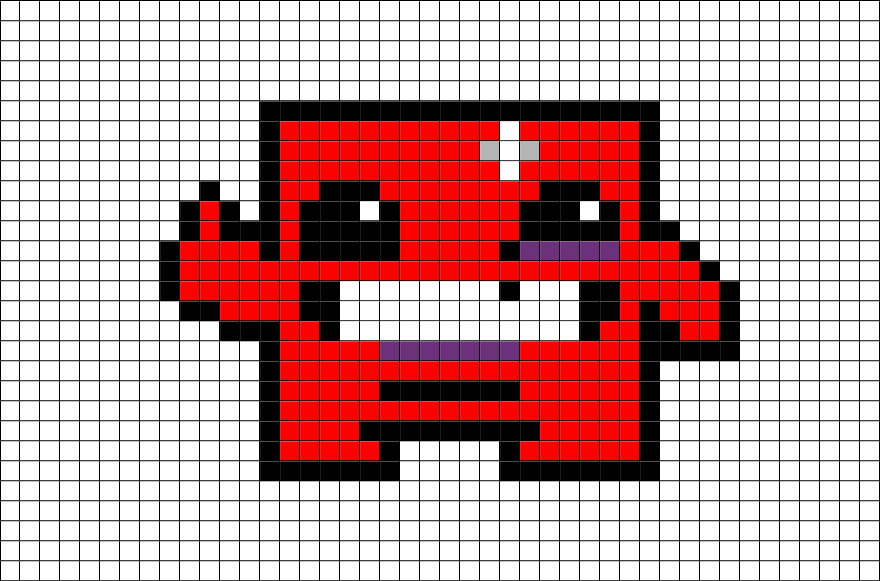
A pixel is a minute area of an illumination of a display screen. In images you have a lot of pixels with different colours to create the image that you have. A pixel is not a little square it only exists at a point. For example in a coloured image you might have a pixel with the 3 primary colours to make up that image. These pixels are found in raster images because when you zoom into a raster image like a PNG or JPEG you will see all the different pixels in a raster image.


Picture resolution:
A picture resolution refers to the number of pixels that are on the image, for example if you have a 1920x1080 is the height and width in pixels to get the about of pixels that are in the photo all you have to do is times 1920 by 1080 which is 2,073,600 pixels which would be about 2 Megabytes of storage which would be saved as a raster type of file.
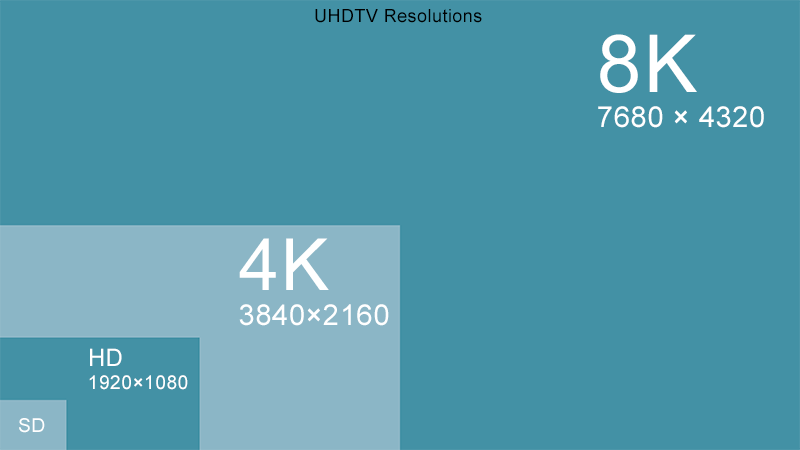
Image Resolution:
Resolution refers to the number of pixels in an image. Resolution is sometimes identified by the width and height of the image as well as the total number of pixels in the image. For example, an image that is 2048 pixels wide and 1536 pixels high (2048X1536) contains (multiply) 3,145,728 pixels (or 3.1 Megapixels).

Intensity:
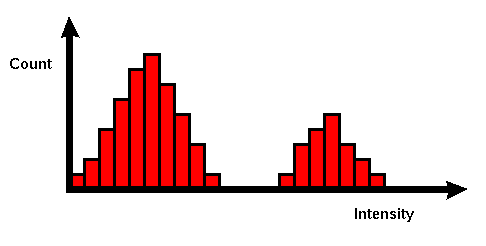
Simply put, pixel intensity is how many pixels are in a certain area. Imagine a single dot, it doesn't make a picture but it does, 2 dots make the eyes to a very simple cartoon, 3 dots are a triangle, 4 dots are a rectangle or a square depending on how they are arranged, The more pixels you have in a image the more complex it becomes.
Vectors and Raster files:
The difference between vector files and raster files are that vectors are larger and not compressed files compared to raster files which are more smaller and are compressed files.
Raster Files:
GIF: A lossless format for image files that supports both animated and static images.
BMP: Short for "Bitmap." It can be pronounced as "bump," "B-M-P," or simply a "bitmap image." The BMP format is a commonly used raster graphic format for saving image files. It was introduced on the Windows platform, but is now recognized by many programs on both Macs and PCs.
Tiff: TIFF (Tag Image File Format) is a common format for exchanging raster graphics (bitmap) images between application programs, including those used for scanner images. A TIFF file can be identified as a file with a ".tiff" or ".tif" file name suffix.
JPEG: A JPEG is a type of compressed file for photos.
Vector Files:
PSD: A PSD is a layered file that is used in Photoshop. PSD stands for Photoshop documents, this is the default format that Photoshoppers use. The files allows the user to edit the image with different layers and continue that after the file has been saved.
WMF: Windows Metafile (WMF) is an image file format originally designed for Microsoft Windows in the 1990s. Windows Metafiles are intended to be portable between applications and may contain both vector graphics and bitmap components. It acts in a similar manner to SVG files.
FLA: An FLA file is an animation project created by Adobe Animate, a program used to draw and publish interactive animations. It contains graphics, video, text elements, audio, and other assets. FLA files are often saved as .SWF files for use on the web as they are view able in most web browsers with the Flash plugin.
AI: Adobe Illustrator Artwork (AI) is a proprietary file format developed by Adobe Systems for representing single-page vector-based drawings in either the EPS or PDF formats. The .ai filename extension is used by Adobe Illustrator. The AI fileformat was originally a native format called PGF.

Picture resolution:
A picture resolution refers to the number of pixels that are on the image, for example if you have a 1920x1080 is the height and width in pixels to get the about of pixels that are in the photo all you have to do is times 1920 by 1080 which is 2,073,600 pixels which would be about 2 Megabytes of storage which would be saved as a raster type of file.
Image Resolution:
Resolution refers to the number of pixels in an image. Resolution is sometimes identified by the width and height of the image as well as the total number of pixels in the image. For example, an image that is 2048 pixels wide and 1536 pixels high (2048X1536) contains (multiply) 3,145,728 pixels (or 3.1 Megapixels).
Intensity:
Simply put, pixel intensity is how many pixels are in a certain area. Imagine a single dot, it doesn't make a picture but it does, 2 dots make the eyes to a very simple cartoon, 3 dots are a triangle, 4 dots are a rectangle or a square depending on how they are arranged, The more pixels you have in a image the more complex it becomes.
Vectors and Raster files:
The difference between vector files and raster files are that vectors are larger and not compressed files compared to raster files which are more smaller and are compressed files.
Raster Files:
GIF: A lossless format for image files that supports both animated and static images.
BMP: Short for "Bitmap." It can be pronounced as "bump," "B-M-P," or simply a "bitmap image." The BMP format is a commonly used raster graphic format for saving image files. It was introduced on the Windows platform, but is now recognized by many programs on both Macs and PCs.
Tiff: TIFF (Tag Image File Format) is a common format for exchanging raster graphics (bitmap) images between application programs, including those used for scanner images. A TIFF file can be identified as a file with a ".tiff" or ".tif" file name suffix.
JPEG: A JPEG is a type of compressed file for photos.
Vector Files:
PSD: A PSD is a layered file that is used in Photoshop. PSD stands for Photoshop documents, this is the default format that Photoshoppers use. The files allows the user to edit the image with different layers and continue that after the file has been saved.
WMF: Windows Metafile (WMF) is an image file format originally designed for Microsoft Windows in the 1990s. Windows Metafiles are intended to be portable between applications and may contain both vector graphics and bitmap components. It acts in a similar manner to SVG files.
FLA: An FLA file is an animation project created by Adobe Animate, a program used to draw and publish interactive animations. It contains graphics, video, text elements, audio, and other assets. FLA files are often saved as .SWF files for use on the web as they are view able in most web browsers with the Flash plugin.
AI: Adobe Illustrator Artwork (AI) is a proprietary file format developed by Adobe Systems for representing single-page vector-based drawings in either the EPS or PDF formats. The .ai filename extension is used by Adobe Illustrator. The AI fileformat was originally a native format called PGF.
Thursday, 28 September 2017
Level 3 Games Design
Unit 78:
Digital Graphics for Games Design
Pixel Art:
As pixel art in game design, illustration, and other media has made quite a comeback in recent years (likely due to nostalgia and an appreciation of a beautiful, if sometimes tedious, style of artwork), it's a great time to ask the question: “What's the deal with pixel art?". Considering that everything you are viewing on your monitor, tablet, or phone is comprised of many, many pixels, the often asked question is “how is this not pixel art?” It's art, it's made of pixels, so surely all digital art is pixel art. While technically correct, when talking about “pixel art”, we're focused on a specific style of artwork most often employed within the gaming industry.
The game world is fully 3D (objects can move in the x, y and z direction) how ever all sprites are created in a fixed isometric perspective, and the camera looks down at the game at a fixed angle.
Reference - Mary Winkler. (2016). What is Pixel Art?. Available: https://design.tutsplus.com/articles/what-is-pixel-art--cms-21759. Last accessed 28/09/17.

Concept Art:
Concept art is a illustrations used to convey ideas for games, movies, comic books and animations before it is set for a final product. What is concept art? Concept art, often referred to as visual development, is the initial design used to develop the look and feel of a project. The project can be anything from animated films to, in our case, video games. Visual development artists will use the story and characters to build a basic concept that is used as a guideline for an entire project. Most of the time a concept artist will make a rough sketch, and after given the okay by the project manager, will move onto a 3D modeller or illustrator to turn into an even more accurate visual representation. Not only do the concept artists take the story to create a model of interpretation for the game, often the concept art relates such a strong feeling of the world that some story elements are created based off the art itself.
The picture to the right is concept art from Assassins Creed. If you have played Assassins Creed you will recognise this hidden blade which is a common weapon the character uses. This is a perfect example of how important visual development is to the final project. It accomplishes many things with this simple graphic. It gives the feel for the time period or world, it shows how the weapon is deployed, and it gives a perfect guideline for the next phase of development to know exactly what they are creating.
Reference - Jon Raymond. (2014). CONCEPT ART: WHAT IS CONCEPT ART AND WHY IS IT IMPORTANT?. Available: http://artistryingames.com/concept-art-concept-art-important/. Last accessed 28/09/17.

Texture Art:
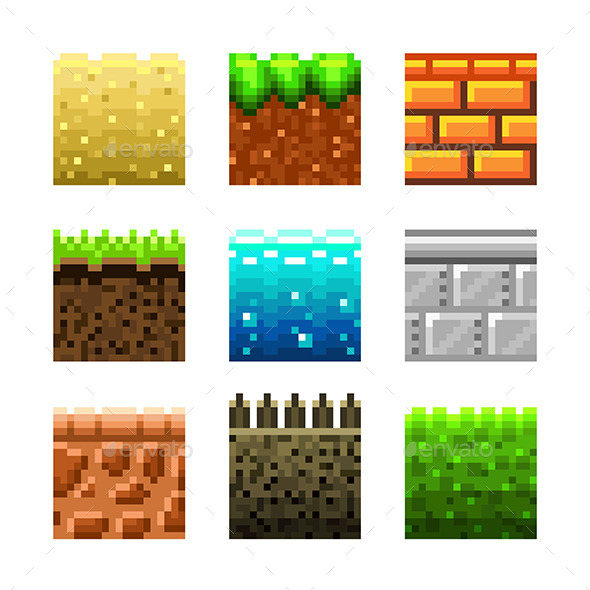
Texture art or texture mapping is usually a 2D digital painting which is overlayed onto a polygon mesh of a 3D sculpt to give to illusion of texture or surface quality. It's most common in the production of models for games or films. In the gaming industry, while it's important in the process of producing the initial game, they also play a big part in modifications (mods). Mods might be created by the same company who made the original game as 'addons' or 'extensions'. Otherwise they might be made by enthusiasts as an extra customisable option. An example of this is in 'minecraft' or 'zoo tycoon' and many other games, where anyone can take the texture files and edit them to change the textures.

Reference - Ellie. (2013). TASK 3 - GRAPHIC TYPES. Available: http://unit78ed.blogspot.co.uk/. Last accessed 28/09/17.
Background Graphics:
Background graphics are the part of a game we don't always dedicate much attention to, as they're exactly that. In the background. But this does not make them any less important. Background art needs to match the rest of the style of the game as to not look out of place, but it also needs to blend in and not be too distracting.There are many types of background art, and they have evolved along with games. Many 2D fighting games in the 90's had beautiful, detailed pixel backgrounds. They're not as common today but still appear every now and again.
As well as complete backgrounds to act as a backdrop, background graphics could also include 2D tiles, 3D building and prop/other assets, cut-scene backgrounds, environment art, and level backgrounds. Assets for the backgrounds could be made using either traditional or digital methods- though digital is usually the preferred method (Using programs such as Photoshop, corral painter, paint tool sai etc).
Although not exactly background artists, layout artists (in charge of the background, lighting and camera angles), and storyboard artists (who draw the panels that correspond to the script) all work in the same sector, are reliant on one another and their jobs may even overlap on occasion.
Reference - Ellie. (2013). TASK 3 - GRAPHIC TYPES. Available: http://unit78ed.blogspot.co.uk/. Last accessed 28/09/17.
HUD (Heads Up Display):
A heads up display or (HUD) is used in a lot of games and it is used to display certain things that your character has, for example, in Call Of Duty: Black Ops 2, there is an ammo count in the bottom right hand corner of the screen and there is also a score indicator, a kill feed and many more items on the screen to help you when you are in game. This is an annotation I did in Photoshop for the game Counter Strike : Global Offensive.

Print Media:
Print media in games are things like advertising posters you see on billboards and big banners in stores, and this can also be the game case cover, these can be vital in the game industry as they need to be popping with colours and have good art work so that the gamers will buy your game and you make good sales. It is also used for the booklet inside for the manual so players know how to play the game when they first start up the game, this art work is less detailed as it is on the front cover of the game case or an advertising poster as they don't need to be very detailed as they are only a manual.
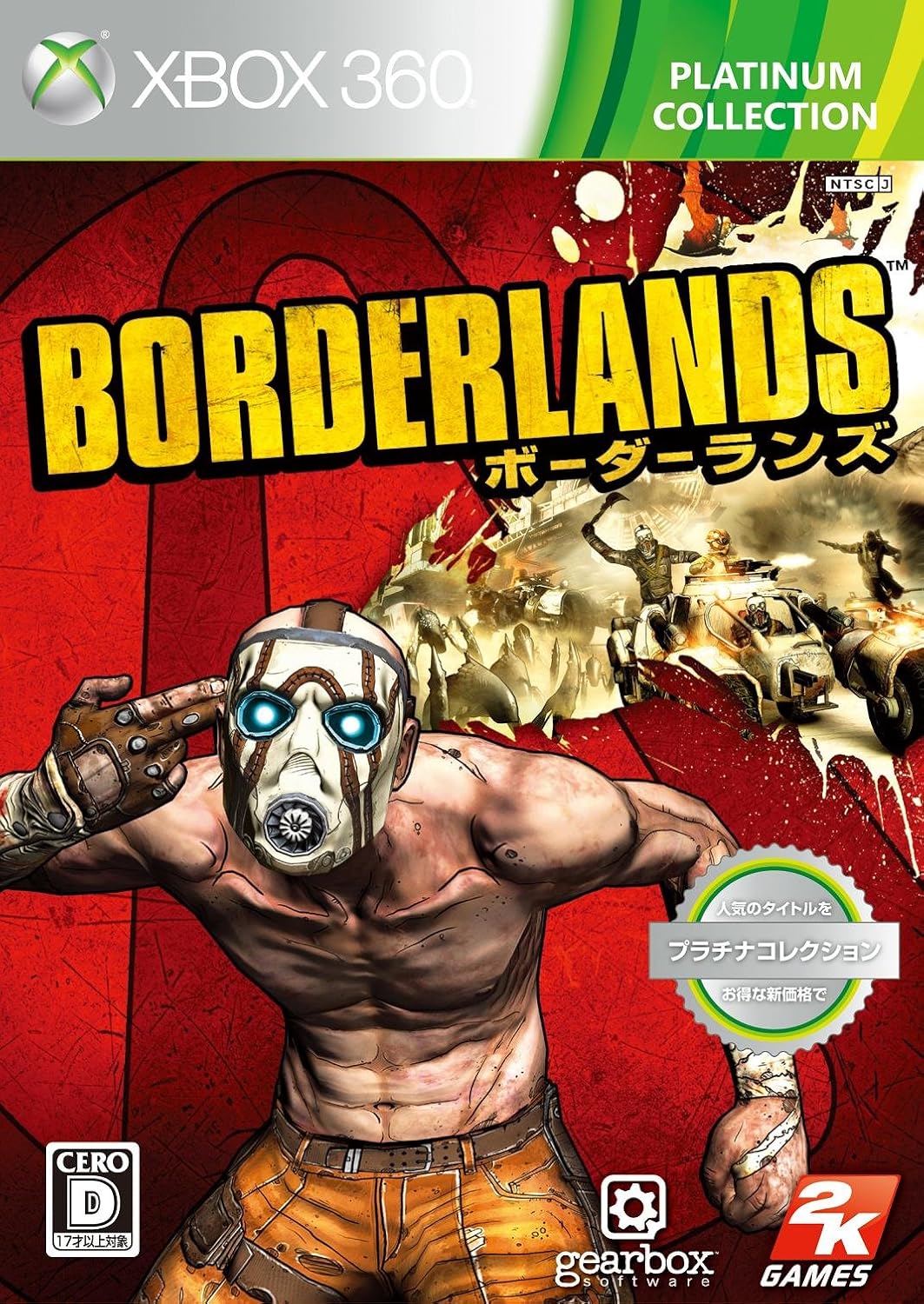


Reference - Ellie. (2013). TASK 3 - GRAPHIC TYPES. Available: http://unit78ed.blogspot.co.uk/. Last accessed 28/09/17.
HUD (Heads Up Display):
A heads up display or (HUD) is used in a lot of games and it is used to display certain things that your character has, for example, in Call Of Duty: Black Ops 2, there is an ammo count in the bottom right hand corner of the screen and there is also a score indicator, a kill feed and many more items on the screen to help you when you are in game. This is an annotation I did in Photoshop for the game Counter Strike : Global Offensive.

Print Media:
Print media in games are things like advertising posters you see on billboards and big banners in stores, and this can also be the game case cover, these can be vital in the game industry as they need to be popping with colours and have good art work so that the gamers will buy your game and you make good sales. It is also used for the booklet inside for the manual so players know how to play the game when they first start up the game, this art work is less detailed as it is on the front cover of the game case or an advertising poster as they don't need to be very detailed as they are only a manual.
My games system: Then and Now.
My first ever gaming system was a GameCube, it was a very simple game system compared to the one I have now and that is pretty beast. I now have a custom PC with a GTX 1070 with an AMD processor. It was expensive compared to the GameCube. ,My GameCube you wasn't able to go online and play with friends like you are with my PC and it was very small and compact compared to my PC. To play with friends on the GameCube, you'd have to have more controllers to come and play on the same console.
Old: 21 November 2001
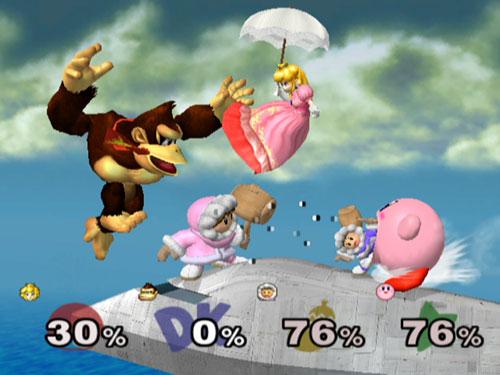
New: 1st December 2015

The reason why I both like these games of because they are a very good game at first and still are when you play them a few months after not playing it for a few months. There are still a few pros and cons to both of the platforms, more on the GameCube than the PC but they are still pretty fair.
Pros: PC
Some of my favourite games from the GameCube collection are (Listed in order)
Specifications: GameCube
Brand: Nintendo
Media: Nintendo GAMECUBE disc
Processor: IBM PowerPC "Gekko" - 485 MHz
RAM: 24 KB 1T-SRAM
Graphics Processor: ATI Flipper
Sound: Stereo
Specifications: My PC
Pros: PC
- It has a lot better specifications than the GameCube.
- It has an internet connection to play online and to talk with friends over discord.
- It is a lot faster and has better graphics than the GameCube.
- It can counter more problems than the GameCube.
- It has more components you need to make the PC work compared to the GameCube.
- You cannot download games if you do not have an internet connection
- You have to have the right components to make your PC run all perfect.
- You didn't have to have a lot of ram to run the games you had to play unlike you do these days
- It is a lot less expensive than my current gaming system.
- Its smaller than a PC.
- It has a lot less games to play
- You have to have your friends over (If you have any) to play a game together
- It has no online multiplayer to play with.
- It has a lot less storage than a PC.
Some of my favourite games from the GameCube collection are (Listed in order)
- Super Smash Bros
- Super Mario Sunshine
- Simpsons Hit and Run
- Mario Kart : Double Dash
- Luigi's Mansion
- Rainbow Six Siege
- Fallout 4
- Counter Strike : Global Offensive
- Left 4 Dead 2
- Dead By Daylight.
Specifications: GameCube
Brand: Nintendo
Media: Nintendo GAMECUBE disc
Processor: IBM PowerPC "Gekko" - 485 MHz
RAM: 24 KB 1T-SRAM
Graphics Processor: ATI Flipper
Sound: Stereo
Specifications: My PC
Processor: 3.8GHz Quad Core AMD Athlon X4 845
RAM: 8 GB
Graphics Processor: GTX 1050 TI
Story
Beginning:
Alexis Texas, a highly known hacker for the Al-Qaeda, has hacked into the American government and retrieved all the files for the nuclear codes and have taken down our defensive system. We have deployed a highly train team of specialised men and women to take down their bases in different parts of the country and eliminating all of the Al-Qaeda henchmen and taking down their servers.
Middle:
As they enter all the buildings, the men and women have certain skills;
Glaz, a highly trained sniper ready to take targets out at any range in any type of biome.
Sledge, a LMG holding, hammer wielding boss ready to break through anything in his way.
Recruit, a newbie that's ready for action and ready to get stuck in anytime.
IQ, a very silent but deadly, with a heart beat sensor, that can see through walls and floors.
Fuze: a highly powerful cluster grenade that he can put through walls and clear rooms faster than you can blink.
End:
After the operators have cleared the building they will achieve a medal of honour for the heroic actions and will be rewarded highly with highest threat put in captivity.
Beginning:
Alexis Texas, a highly known hacker for the Al-Qaeda, has hacked into the American government and retrieved all the files for the nuclear codes and have taken down our defensive system. We have deployed a highly train team of specialised men and women to take down their bases in different parts of the country and eliminating all of the Al-Qaeda henchmen and taking down their servers.
Middle:
As they enter all the buildings, the men and women have certain skills;
Glaz, a highly trained sniper ready to take targets out at any range in any type of biome.
Sledge, a LMG holding, hammer wielding boss ready to break through anything in his way.
Recruit, a newbie that's ready for action and ready to get stuck in anytime.
IQ, a very silent but deadly, with a heart beat sensor, that can see through walls and floors.
Fuze: a highly powerful cluster grenade that he can put through walls and clear rooms faster than you can blink.
End:
After the operators have cleared the building they will achieve a medal of honour for the heroic actions and will be rewarded highly with highest threat put in captivity.
Level 3 Games Design
Unit 78:
Digital Graphics for Computer Games:
Artistic Styles:
Photo realism:
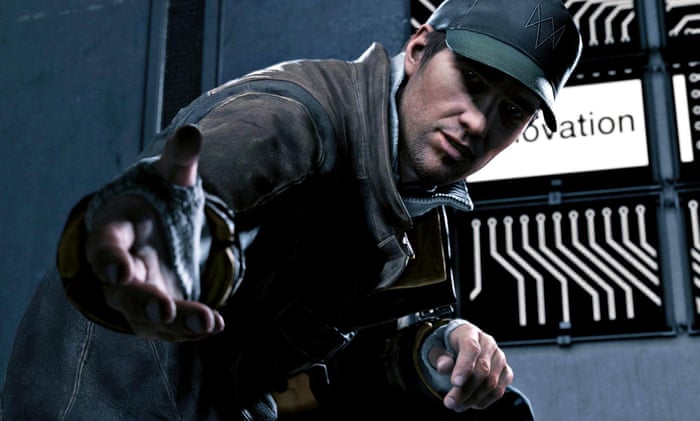
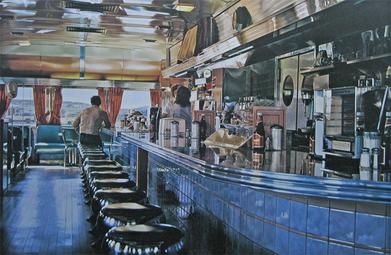
Photo realism is
where you make an image from scratch and make it look like a real photo that
someone has took. This can be imported into games with the newer graphics and
want to make them realistic as possible, for example, Battlefield 1, Call of
duty World War 2 and many more games that are coming out this year or in the
further year.
Here are 5 reasons
why designers use photo realism:
reference -Steve's Digicams. (2016). 5 USES OF PHOTOREALISTIC RENDERING.Available: http://www.steves-digicams.com/knowledge-center/how-tos/video-software/5-uses-of-photorealistic-rendering.html#b. Last accessed 28/09/17.
1. Architecture
In architecture,
renderers were previously used to add the layers, to make a finished picture by
hand. Now, it’s done on the computer, and generally it’s much more
cost-efficient. Additionally, by building a 3D model and adding animation,
clients have the opportunity to see their project from every angle, including
overhead and inside. These ‘fly-by’s’ help visualize exactly what the client is
in for, and it’s less expensive to make corrections on a rendering than an
actual building.
2. Movie and Television
Special Effects
There’s hardly a
dramatic film or television show currently airing that doesn’t use some form of
photorealistic rendering. Sometimes they’re more obvious, like scenes with cars
that turn into gigantic robots or thousands of battling warriors. Other times,
it’s more subtle, where the effects may simply add texture to the scene, like
clouds and shadows. It’s also used for removing things from scenes that
shouldn’t be there (like an airliner soaring through the sky behind a Roman period
piece or an aluminum ladder from an ancient pirate ship).
3. Video Games
Rendering has made
tremendous strides in the area of video gaming. In the last 10 years, the
graphics in video games have gone from clunky and slow to smooth and extremely
realistic. Driving emulates actual driving (only, generally faster.) The cars
look much more like real cars, and the backgrounds often incorporate real
backgrounds. Fantasy games display battles where characters and settings look
real. Sports games, modeled after real moves and plays, look more and more
starkly realistic.
4. Simulators
Flight time can be
costly, as it involves expensive airplanes, but potential pilots have a new
option in that they can use a less costly simulator. The risks are minimized,
too. Simulators don’t have accidents or catch dangerous up-drafts. Another
potentially risky area that simulators have helped newcomers is in driving, in
particular race driving. The other cars are virtual, as are the threats, and to
roll a simulator is far less likely.
5. Design
Visualization
One realm where
photorealistic rendering seems to be exploding is in design visualization. Just
as it’s more cost effective to change a virtual building than an actual one,
when companies seek to bring out a new product, it just makes more sense to
utilize a computer artist or designer who can give a perfect visual model,
available for market testing or in-house research-and-development. This applies
to things as small as food packaging to cars, or as large as popular theme
parks and their rides.
Anime:
Exaggeration is used in games, mostly in RPGs, this art style is used for anime and manga typically, this art style is where the artist exaggerates many things within the game, mostly games with a Japanese influence, for example, in the game "final fantasy 7" the character "cloud" has a huge sword.
Reference - http://ragingflame62.blogspot.co.uk/2012/11/exaggeration.html
One of anime’s distinctive features is the type of plots in which it appears. These plots tend to be far more complex than the plots of regular animated cartoons or many other animated projects. For instance, an anime plot typically develops over the course of dozens of episodes, and a single storyline can take more than 50 episodes to fully develop. In addition to complex plots, anime characters are often complex themselves. Other types of animation allow for characters in which only one or two personality traits are developed and emphasized. Anime character design, however, frequently develops characters that possess many layers. This art form develops these layers and personality traits in order to present a multi-faceted person. In addition, there are also often many main characters in a storyline. The result of these features is a rich field of fascinating characters that interact to tell a lengthy story.
Reference - http://showmetheanimation.com/features/animation-styles-what-makes-anime-unique/
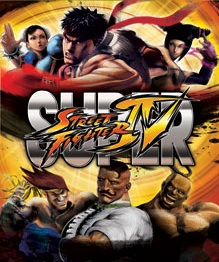
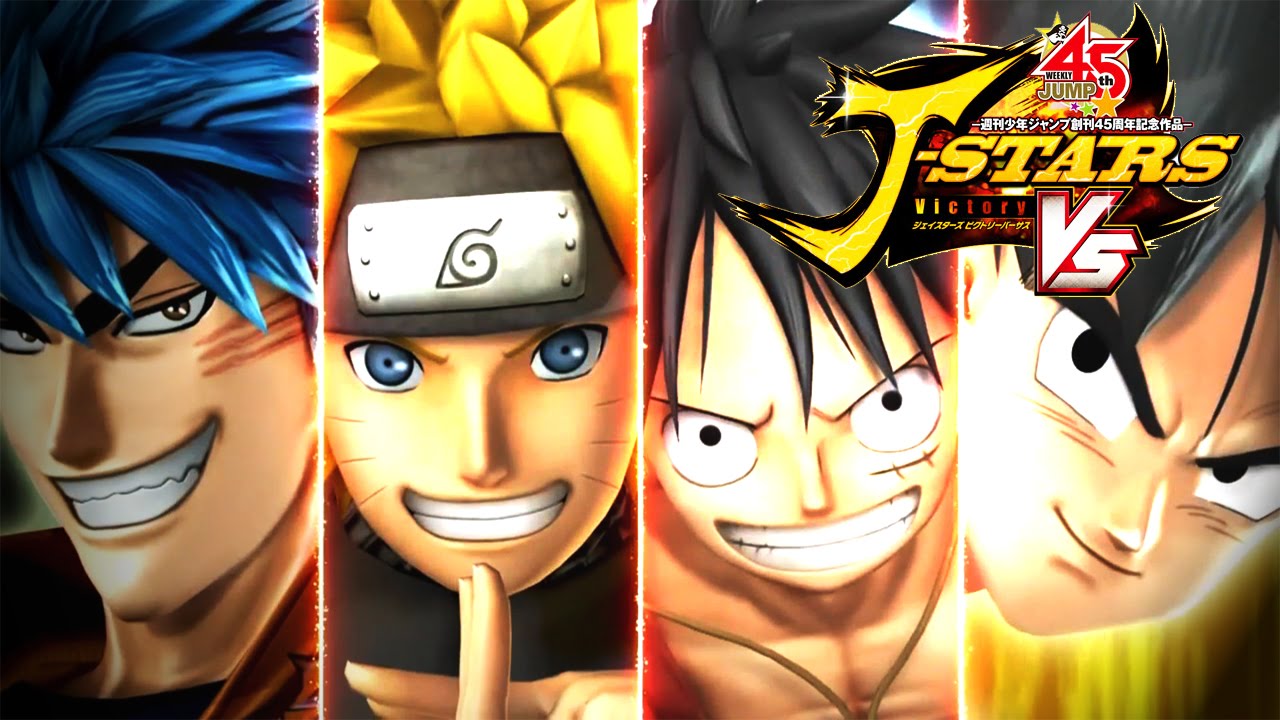
Cel Shading:
Cel Shading is a style of computer rendering that replaces the shading gradient of conventional rendering with flat colours and shadows (as seen at right). In layman's terms, it imitates the look of hand-drawn artwork and animation. The style was codified with the Sega Dreamcast game Jet Set Radio.
While the style is not exclusive to Video Games, it is often used there since this is the only way to produce a hand-drawn look via computer polygons. In other media, Cel Shading can be useful to render specific items in a hand-drawn production, if a given scene would be too difficult to animate by hand, such as a rotating object or an Epic Tracking Shot traveling down the length of a massive vehicle. There are also animated series produced exclusively via cel shading, usually for similar reasons. When mixing cel shading with traditional animation, it's important to calibrate the renderer to avoid visually clashing with the rest of the production (i.e. being too detailed or smoothly animated).
Reference - http://tvtropes.org/pmwiki/pmwiki.php/Main/CelShading
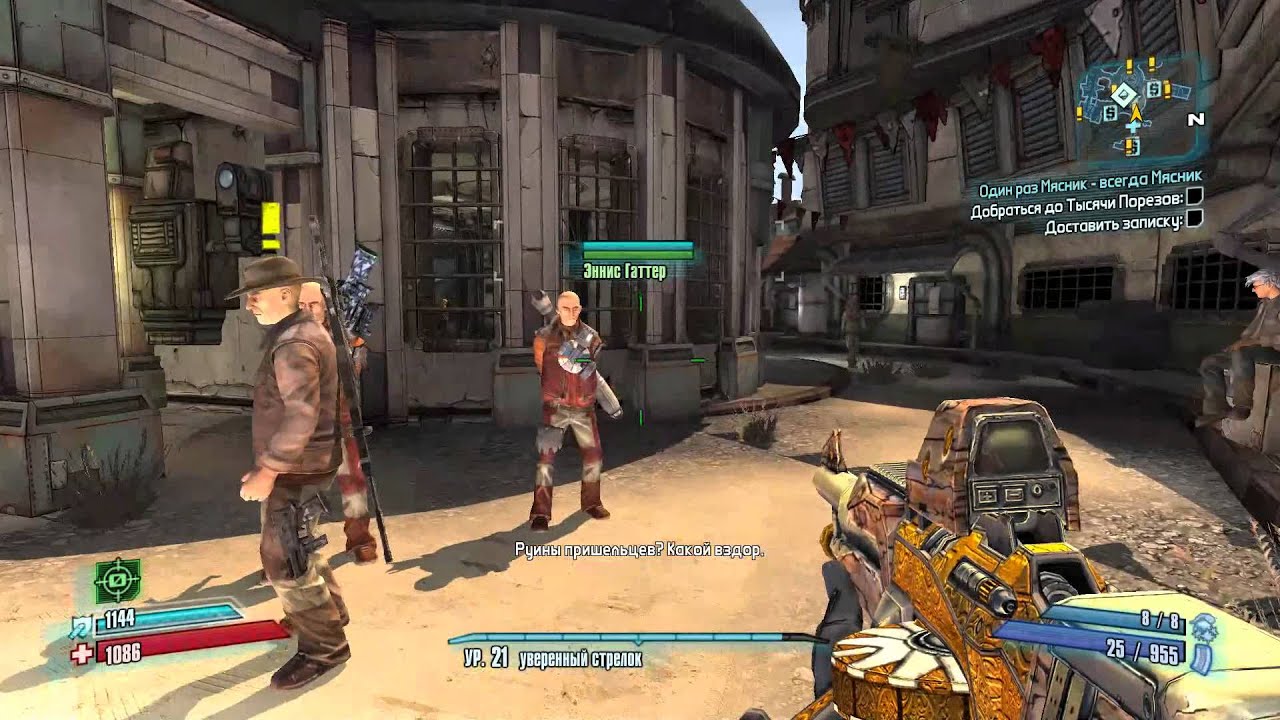
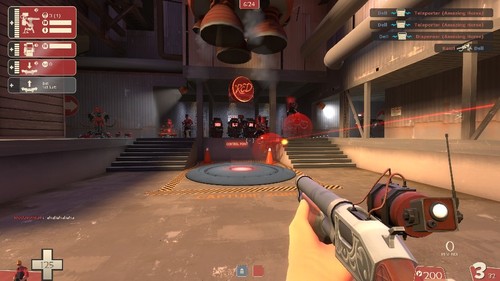
Pixel:
Pixel art is a form of digital art, created through the use of software, where images are edited on the pixel level. The majority of graphics for 8-bit and 16-bit computers and video game consoles, as well as other limited systems like graphing calculators, is pixel art. Creating or modifying pixel art characters or objects for video games is sometimes called spriting, a term that arose from the hobbyist community. It was used a lot back in the day when video games were first being developed and they didn't have the technology to make 3D / photo-realistic games like we do today.


Subscribe to:
Posts (Atom)
Portfolio
What will be included in my portfolio? I will have included some life drawings, I have also included human anatomy (male and female) I hav...

-
Unit 78: Digital Graphics for Computer Games To be able to create concept art and a plan for a video game. Client Brief: The ...
-
Year 1 Unit 78: Digital Graphics for Computer Games P2 Be able to Generate Concept Art Ideas for Computer Game Graphics Legal & Ethical ...
